How to Sync Audio and Video in Premiere Pro | Podcast Editing Tutorial
4 View

- Publish Date:
- July 29, 2026
- Category:
- Equipment for Podcasting
- Video License
- Standard License
- Imported From:
- Youtube
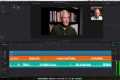
In this beginner-friendly tutorial, I’ll show you how to import and organize your files, add tracks to your timeline, use Premiere Pro’s Synchronize tool, check the results, remove unwanted footage, and mute the lower-quality camera audio.
This simple workflow has saved me hours while producing and editing multiple podcasts each week. Whether you’re a podcast host, producer, or video editor, it can make your editing process much faster and easier.
In this video:
• Importing and organizing video and audio files
• Adding tracks to your Premiere Pro timeline
• Automatically syncing files with the Synchronize tool
• Using claps to improve synchronization
• Checking and correcting the final alignment
• Muting camera audio and keeping your microphone audio
If this tutorial helped you, please like the video, subscribe to the channel, and share it with another podcast creator!
#PremierePro #PodcastEditing #VideoEditing #PodcastTips #AdobePremierePro
Timestamps:
0:00 Introduction
0:35 Setting Up in Premiere Pro
1:57 Preparing Your Video and Audio Files
2:14 Automatically Synchronizing Your Files
3:32 Checking and Fixing the Alignment
4:14 Muting the Camera Audio
4:38 Final Tips
-----------------
Podcast Host Masterclass
Podcasting is booming, and now is the perfect time to launch your own show! The Podcast Host Masterclass gives you the tools, tips, and techniques to become a confident, compelling podcast host—no prior experience required. Learn how to prep guests, ask powerful questions, control conversations, and grow your audience fast. Taught by industry veterans Scott Paton and Martin Wales, this course condenses decades of broadcasting experience into actionable lessons. One student doubled monthly downloads in just 9 months using these strategies! Ready to step behind the mic and build your brand? This is your chance to shine.
Top 3 Podcasting Equipment for Superior Audio Quality
MAONO Podcast Equipment Bundle Audio Mixer All-in-One Studio
This MAONO podcast equipment bundle provides an all-in-one solution for your podcasting needs. With its impressive 35mm microphone, this bundle ensures your voice comes through clearly and professionally in every live stream or podcast. Whether used with a PC or smartphone, this studio setup offers unparalleled audio quality for any format of recording, even including DJ sessions. Its robust features make it a toolkit worthy of any podcasting enthusiast.
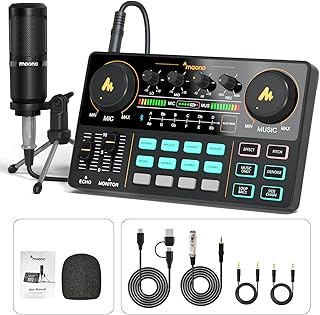
Check out this MAONO podcast equipment bundle on Amazon now
FIFINE Gaming PC USB Microphone Podcast Condenser Mic
FIFINE's Gaming PC USB Microphone for Podcasts comes equipped with a boom arm and pop filter to ensure the best possible audio recording quality. This is an excellent choice for streaming, Twitch chatting, and for YouTubers and gamers due to its mute button, which provides additional control during live broadcasts. The vibrant RGB lighting complements any gaming setup while adding fun to the recording experience.
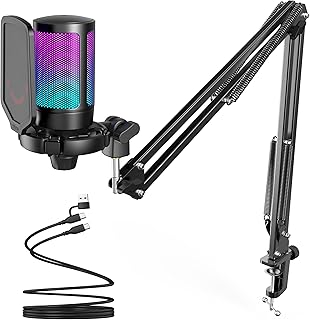
Check out the FIFINE Gaming PC USB Microphone on Amazon now
MAONO USB Microphone Professional Mic Kit
Delivering studio-level sound quality, the MAONO USB Microphone kit is an ideal match for podcasting, singing, gaming, and even YouTube. With a simple plug-and-play set up, a professional sound chipset, and a quality condenser microphone, you can trust this kit to perform brilliantly, capturing every nuance of your voice perfectly every time.
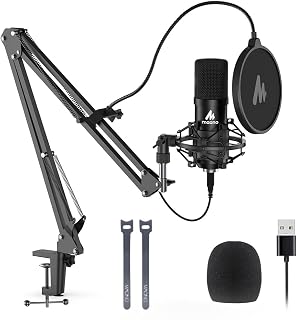
Acquire the MAONO USB Microphone on Amazon now
Sponsored Area