50 Essential Podcast Tips in 15 Minutes | Beginner Podcasting Guide
34,942 View

- Publish Date:
- March 9, 2026
- Category:
- Learn to Podcast
- Video License
- Standard License
- Imported From:
- Youtube
🌟Try Riverside Today: https://riverside.fm/?utm_source=youtube&utm_medium=organic&utm_campaign=50+Essential+Podcast+Tips+in+10+Minutes:+Ultimate+Guide+to+Recording,+Editing,+Promotion,+and+More!
Discover the ultimate guide to podcasting success with 50 invaluable podcast tips covering recording, editing, promoting, and monetizing your podcast. Whether you're a beginner or seasoned creator, these beginner podcasting insights will enhance your show's quality and reach.
📺 Videos Mentioned
You Record, We'll Make the Clips for You - New Magic Clips from Riverside!
https://youtu.be/OHeY3koOv80
7 Best USB Microphones for Podcasters & Creators [2023]
https://youtu.be/JvRqzHmLiRY
STOP Focusing On The Wrong Thing | YouTube Algorithm Explained
https://youtu.be/nLi8D3Qfaf0
How to Build a Video Podcast Setup
https://youtu.be/u5JbKGlXsUs
Stop Making BORING Talking Head Videos
https://youtu.be/ZlRaPlod6xQ
Building a Pro Home Studio in a Small Space
https://youtu.be/LhUYF_0qyXE
Best Podcast Hosting Sites 2023
https://youtu.be/TnWA3D8OVDw
YouTube
https://youtu.be/tAQlNK1MPJw
How To Create Podcast Cover Art That Stands Out
https://youtu.be/umj9LFUmnsk
Riverside Mobile App Updates: New Features for iOS [April 2023]
https://youtu.be/Gb9aXv1mPTs
Use iPhone as Webcam with Continuity Camera in macOS Ventura
https://youtu.be/Pwr1CGjIYZo
Top Collaborative Podcast Tools: Planning, Recording & Publishing
https://youtu.be/jP9y75QO7_Y
How to Use Notion AI for Podcasting: Streamline Your Workflow
https://youtu.be/Yf9QFxmISw4
How to Produce the BEST Remote Video Interviews | Riverside Masterclass
https://youtu.be/Ty63v5HPwbU
Audio Effects Explained: How to Use Audio Effects to Fix Sound
https://youtu.be/mOs9mlJjX7I
Multicam Editing Guide for Final Cut & Premiere Pro
https://youtu.be/vz4h4bkhzvM
- YouTube
https://youtu.be/0ZJ408ZBa4A
Mastering Video Podcast Editing In Final Cut Pro
https://youtu.be/sneokKHiQ3I
Edit A Video Podcast For Free | DaVinci Resolve Tutorial
https://youtu.be/IXsR54AY4i8
How to Easily Import Recordings to Premiere Pro with Riverside
https://youtu.be/Ro9OOhIsS6E
5 Podcast Metrics to Track Performance (Spotify & Apple Podcasts)
https://youtu.be/-0LXMubQSHM
4 Ways to Use Podcast Transcriptions
https://youtu.be/1oD7yEAqLgA
🛒 Gear Mentioned
Wired Headphones
https://a.co/d/3n5rqxy
Mic Arm
https://a.co/d/2RHMfIn
Mobile Tripod
https://a.co/d/gwr8dlo
Small LED Light
https://a.co/d/jhhZWkJ
Key Light Air
https://a.co/d/90np3RO
Sound Treatment
https://a.co/d/9azcMOB
AutoPod
https://www.autopod.fm
Runway ML
https://runwayml.com
Chapters ➡
00:00 Introduction
00:30 10 Tips for Getting Started
03:30 10 Tips for Podcast Gear
06:27 10 Tips for Recording Interviews
09:16 10 Tips for Editing Podcasts
12:10 10 Tips to Stay Consistent
Download our Riverside app for iPad and iPhone:
👉 https://apps.apple.com/app/id1554443872
Download Riverside app for Android:
👉 https://play.google.com/store/apps/details?id=riverside.fm
---
Keep up to date:
Subscribe to on YouTube: https://www.youtube.com/channel/UCOaG…
Follow us on Twitter - https://www.twitter.com/riversidedotfm
Follow us on LinkedIn: https://www.linkedin.com/company/rive…
Like our Facebook page: https://www.facebook.com/riversidedotfm
Read our blog - https://www.riverside.fm/blog
---
Try Riverside Today: https://riverside.fm/?utm_source=youtube&utm_medium=organic&utm_campaign=50+Essential+Podcast+Tips+in+10+Minutes:+Ultimate+Guide+to+Recording,+Editing,+Promotion,+and+More!
⭐⭐⭐ About Riverside.fm ⭐⭐⭐
Riverside.fm is the leading remote recording platform that makes professional podcast creation achievable by anyone, anywhere. The platform has easy-to-use tools to help podcasters record, edit, and promote their show.
The company, founded by brothers Gideon (CTO) and Nadav (CEO) in 2020, already helps 70,000+ podcasters and companies, including Guy Raz, Gary Vaynerchuk, Marvel, The New York Times, and Disney to record studio-quality interviews from anywhere, with no loss in recording quality.
-----------------------------------------
Podcast Outsourcing
🎙️ Ready to stop drowning in podcast production tasks? If you're tired of spending countless hours editing, uploading, and managing your show instead of actually podcasting, this is your solution. Podcast Outsourcing teaches you how to delegate the time-consuming parts of podcasting so you can focus on what you do best—creating great content.
Imagine showing up to record, then letting a team of skilled freelancers handle everything else—audio editing, blog creation, guest scheduling, uploading episodes, and more. This course walks you through how to build your dream team of remote support, streamline your workflow, and save serious time and money in the process.
You’ll also discover how outsourcing not only boosts your podcast’s growth but also creates real opportunities for people around the world.
👉 Click here to join the online class now and start working smarter—not harder—with podcast outsourcing that scales your success.
3 Must-Know Podcasting Tips for Your Show
Leveraging Guest Appearances to Grow Your Audience

Featuring guests on your podcast can significantly expand your reach and attract new listeners. Select guests who are experts in your niche or have a substantial following that aligns with your target audience. Prepare thoughtful questions that allow your guests to share valuable insights and experiences, providing rich content for your listeners. Promote episodes with notable guests across both your and your guests’ networks, tapping into their audience base. Encourage guests to share the episode with their followers, increasing your podcast’s visibility. Collaborative episodes not only enhance the quality of your content but also foster relationships within your industry, contributing to your podcast’s growth and credibility.
Choosing the Right Equipment for Your Podcast
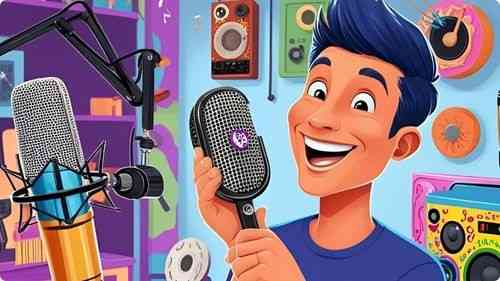
Selecting the appropriate equipment is fundamental to producing a high-quality podcast. Start with a reliable microphone that suits your recording environment, whether it's dynamic for noisy spaces or condenser for controlled settings. Investing in good headphones ensures accurate sound monitoring during recording and editing. Additionally, consider acquiring a pop filter to minimize unwanted sounds and a sturdy stand to maintain microphone stability. A quality audio interface can enhance sound clarity, especially if you're recording on a computer. Proper lighting and a quiet recording space also contribute to professional-sounding episodes. By carefully choosing your equipment, you set a strong foundation for your podcast’s success.
Selecting the Best Hosting Platform for Your Podcast

Choosing the right hosting platform is essential for distributing your podcast efficiently and reaching your target audience. Evaluate platforms based on factors such as storage capacity, bandwidth, ease of use, and analytics capabilities. Look for services that offer reliable uptime and fast upload speeds to ensure your episodes are accessible to listeners without delay. Consider platforms that support multiple podcast directories, including Apple Podcasts, Spotify, and Google Podcasts, to maximize your reach. Additionally, assess whether the hosting service provides tools for monetization, such as advertising integration or subscription options. A robust hosting platform simplifies the distribution process, allowing you to focus on creating quality content for your audience.
Frequently Asked Questions
How do I engage with my podcast audience?
Respond to listener feedback, encourage comments and questions, create interactive content, and build a community through social media or dedicated platforms to foster a loyal listener base.
How can I make my podcast stand out in a crowded market?
Develop a unique voice, focus on a specific niche, deliver consistent quality, and engage authentically with your audience. Creative content and distinct branding also help differentiate your podcast.
What is the role of a podcast publisher?
A podcast publisher manages the dissemination of your episodes to various platforms, handles distribution logistics, and often provides tools for analytics and monetization to support your show’s growth.
How can I effectively use social media to support my podcast?
Share episode updates, engage with listeners, join relevant groups, and use platforms to promote content snippets. Social media extends your reach and fosters a community around your podcast.
How often should I release new podcast episodes?
Consistency is key. Whether weekly, bi-weekly, or monthly, establish a schedule that you can maintain to keep your audience engaged and coming back for more.
Statistics
- Listener reviews and ratings contribute to a 25% increase in podcast discoverability.
- About 60% of podcasters find that offering premium content subscriptions generates additional revenue.
- Over 80% of podcasters report that having a dedicated website enhances their show’s visibility.
- Using transcription services can make podcasts accessible to a wider audience, increasing reach by up to 25%.
- About 50% of podcast listeners prefer shows that offer a mix of solo and interview episodes.
- Podcasts with consistent weekly releases are 60% more likely to grow their audience steadily.
- Approximately 65% of podcasters monetize their shows through sponsorships and advertising.
- Engaging storytelling techniques can increase listener retention rates by up to 50%.
- Podcasts with interactive segments, such as Q&A sessions, see a 25% boost in audience participation.
- Listeners are 50% more likely to subscribe to podcasts that offer regular episode releases.
- Podcasts that engage with their audience through email newsletters see a 30% higher retention rate.
- Podcasts with eye-catching cover art are 45% more likely to attract new listeners.
- Effective use of keywords in podcast descriptions can improve search rankings by 30%.
- Podcasts that utilize analytics to refine content strategies experience a 40% improvement in listener satisfaction.
- Approximately 70% of successful podcasters invest in high-quality microphones to ensure clear audio.
- Guest appearances on podcasts can result in a 15% increase in subscriber numbers.
External Links
zoom.us
podcastitalia.com
mailchimp.com
patreon.com
screencast-o-matic.com
adobe.com
podbean.com
apple.com
audacityteam.org
buzzsprout.com
convinceandconvert.com
canva.com
thepodcasthost.com
ahrefs.com
listennotes.com
inc.com
radiopublic.com
How To
How To Create a Podcast Branding Strategy
Developing a strong branding strategy distinguishes your podcast and attracts your target audience. Begin by defining your podcast’s mission, values, and unique selling points, clearly outlining what sets it apart from others. Create a memorable podcast name that reflects your content and resonates with your intended listeners. Design cohesive visual elements, including a logo and cover art, that convey your podcast’s identity and appeal aesthetically. Establish a consistent tone and style for your episodes, whether it’s formal, conversational, or humorous, to create a recognizable voice. Utilize branded intros, outros, and jingles to reinforce your identity with each episode. Additionally, maintain consistency across all marketing materials and platforms to build a unified and professional presence, making your podcast easily identifiable and appealing to your audience.
Sponsored Area