If I Started a Podcast in 2026, I'd Do this!
44,220 View
- Publish Date:
- February 20, 2026
- Category:
- Learn to Podcast
- Video License
- Standard License
- Imported From:
- Youtube
If I had to start a podcast from scratch in 2026 with no audience, this is exactly what I would do.
🔴 Ready to record? Use code THINKMEDIA to get your first month of Riverside Pro free ➡️ https://creators.riverside.com/ThinkMedia12
🎁 Everything you need to build your channel right in 2026! Get 97% off our YouTube Creator Toolkit here ➡️ http://ThinkMediaSale.com
This video is sponsored by @Riversidefm. Some product links are affiliate links which means if you buy something we'll receive a small commission.
=============================
All Products and Gear Mentioned in this video
(Amazon Links)
=============================
🔴 Ready to record? Use code THINKMEDIA to get your first month of Riverside Pro free ➡️ https://creators.riverside.com/ThinkMedia12
Check out everything you need to start a podcast in 2026 here ➡️ https://amzn.to/44l6iBo
🎙️ Podcast Mics
Fifine AM8 - https://geni.us/YM2TPTo
Samson Q2U - https://geni.us/NfsNB
Shure MV7X - https://geni.us/aAt8t0
Shure SM7B - https://geni.us/NwM5MWX
Shure SM7DB - https://geni.us/muKul
🔉 Audio Interfaces
Vocaster Two - https://geni.us/8rvL
RODECaster Duo - https://bit.ly/thinkrodecasterduowhite
RODECaster Pro II - https://bit.ly/thinkrodecasterproii
📸 Podcasting Cameras
Hollyland Lyra - https://geni.us/AoSmYe
YoloCam S3 - https://geni.us/meSB01
Sony ZV-E10 II - https://geni.us/0QSGwH
===========================
Connect with us!
=============================
Tik Tok: ➡︎ https://www.tiktok.com/@thinkmediaofficial/
IG: ➡︎ https://www.instagram.com/officialthinkmedia/
===========================
Subscribe and Listen to the Think Media Podcast HERE:📱
===========================
➡︎YT: @ThinkMediaPodcast
➡︎Apple: https://apple.co/2F3tmIS
➡︎Spotify: https://spoti.fi/36qevE8
⏰ Timecodes ⏰
0:00 How to Start a Podcast in 2026
0:28 Tip #1: Choose a Clear Niche
1:23 Tip #2: Define Your Show Identity
2:21 Tip #3: Lock in Your Show Format
3:49 Tip #4: Choose Your Recording Platform (Riverside)
5:49 Tip #5: Plan Your First 4-6 Episodes
7:08 Tip #6: Get a Better Microphone (Budget & Pro Options)
8:42 Tip #7: Consider Adding Video
9:35 Tip #8: Learn Basic Audio Editing (EQ & Compression)
10:37 Tip #9: Shoot for Vertical Video
11:16 Tip #10: Record Backup Audio
12:17 Tip #11: Batch Record Your Episodes
13:10 Tip #12: Invite Guests (Leverage OPAs)
14:02 Tip #13: Hook the Viewer Immediately
14:38 Tip #14: Build an Email List
15:28 Tip #15: Add Clear Calls to Action (CTAs)
16:23 Next Steps for Video Podcasting
===========================
Here are the ways to work with us here at Think Media:
===========================
⚡️FREE CLASS: Watch our FREE YouTube class here: ➡︎ http://ThinkMasterclass.com
⚡️BOOK: Check out the #1 best-selling book YouTube Secrets here: ➡︎ https://ytsecrets.com/
⚡️For Support inquires, or Business inquiries, please go to ➡︎ http://ThinkMediaSupport.com
⚡️Join our YouTube Course & Community TODAY with this special limited-time bundle at: http://joinvra.com
===========================
What We Use For Music:
===========================
🔥 Get a 7-day free trial for new personal and commercial plan here! ➡️ http://thinkmediasounds.com
===========================
In-Depth Channel Analytics and Ideas
===========================
Get a 30-Day trial of vidIQ's Boost plan for just $1 here: 👉 http://vidiq.com/think
===========================
#thinkmedia #seancannell #youtubetips
If I had to start a podcast completely from scratch in 2026 with no audience and no fancy studio, this is exactly what I would do. Most new podcasts fail because they skip the fundamentals. In this video, I break down 15 quick, practical tips to help you launch, grow, and win with your podcast this year.
We cover everything from the initial setup—like choosing a niche and defining your show's identity—to the technical side of recording, editing, and choosing the right gear on a budget. Whether you want to start a solo show, a co-hosted podcast, or an interview series, this step-by-step guide has you covered.
In this podcasting guide for beginners, you will learn:
Setup: How to validate your idea, choose a niche, and pick your show format.
Tech: The best budget microphones (under $50) and why you should add video.
Audio: Essential editing tips (EQ, Compression, Noise Reduction) to sound like a pro.
Workflow: Why batch recording is the secret to consistency.
Growth: How to leverage guests (OPAs) and build an email list from day one.
Marketing: The importance of "hooking" your viewer and adding clear CTAs.
Our mission here at Think Media is to help purpose-driven entrepreneurs go full-time doing what they love and making an impact through the power of video.
Disclaimer: Please see the link for our disclaimer policy for all of our videos on the Think Media and Think Media Podcast YouTube channels. https://go.thinkmedia.com/youtube-disclaimer
-----------------------------------------
How to Start a Podcast - Podcasting Made Easy
Podcasting Made Easy is your ultimate guide to launching a successful show—fast, fun, and with zero overwhelm. Taught by podcast pioneer Scott Paton, this bestselling course walks you through setup, hosting, publishing, and growth strategies. With over 32,000 students, you’ll learn how to use tools like Libsyn, reach Spotify and Google Podcasts, and even build a podcasting business. Whether you're brand new or ready to scale, Power Podcasting helps you grow influence, relationships, and revenue—all while whispering directly into the ears of your ideal audience. Ready to get your voice heard and change lives?
3 Must-Know Podcasting Tips for Your Show
Interviewing Techniques for Captivating Episodes

Effective interviewing techniques can elevate your podcast episodes by making conversations more engaging and insightful. Prepare thoroughly by researching your guest’s background and formulating relevant questions in advance. Create a comfortable environment to encourage open and honest dialogue. Practice active listening, allowing the conversation to flow naturally and adapt to unexpected topics. Ask open-ended questions to elicit detailed responses and avoid yes-or-no answers. Balance structure with spontaneity, giving your guest the space to share their unique perspectives. Skilled interviewing not only provides valuable content but also builds rapport with guests, enhancing your podcast’s reputation.
Integrating Music and Sound Effects Appropriately
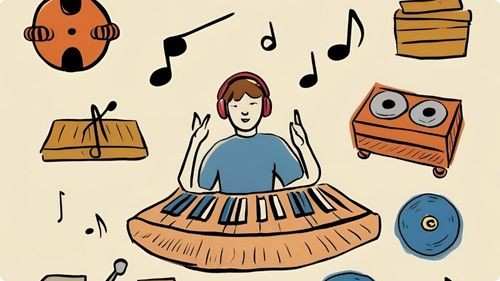
Music and sound effects can significantly enhance the quality and appeal of your podcast when used appropriately. Select intro and outro music that reflects the tone and theme of your show, creating a consistent auditory brand identity. Use background music sparingly during episodes to complement the conversation without overpowering it. Incorporate sound effects to emphasize key points, transitions, or humorous elements, adding a dynamic layer to your content. Ensure that all audio elements are balanced and do not distract from the primary audio, maintaining a professional and polished sound. Thoughtful integration of music and effects can make your podcast more engaging and enjoyable for your listeners.
Optimizing Audio Quality for Clear Sound
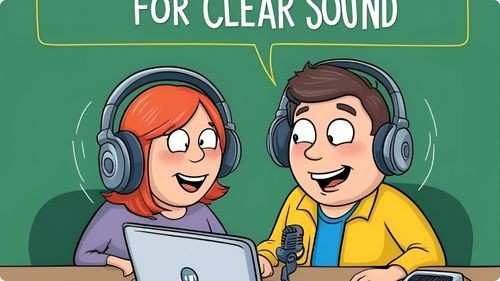
High audio quality significantly impacts the listener experience. Start by recording in a quiet environment to reduce background noise and echoes. Use a quality microphone and position it correctly to capture clear sound without distortion. Implement soundproofing measures, such as foam panels or blankets, to enhance acoustics. During editing, remove any unwanted noise and balance audio levels to ensure a smooth listening experience. Incorporate compression and equalization to fine-tune the sound. Clear and crisp audio not only makes your podcast more enjoyable but also reflects your commitment to professionalism, encouraging listeners to stay engaged.
Frequently Asked Questions
What software is best for recording and editing podcasts?
Popular options include Audacity, which is free and user-friendly, and Adobe Audition, which provides advanced editing features. Choose software that fits your skill level and editing needs.
How long should a typical podcast episode be?
Episode length can vary, but typically ranges from 20 to 60 minutes. Choose a duration that suits your content and keeps your audience engaged without overwhelming them.
How can I incorporate interviews into my podcast?
Plan your questions in advance, ensure good audio quality for both parties, and create a comfortable environment for your guest. Interviews add variety and different perspectives to your show.
How do I handle technical issues during a podcast recording?
Have a backup plan, such as secondary recording software or equipment, regularly update your technology, and troubleshoot common problems in advance to minimize disruptions during recording.
Statistics
- About 60% of podcasters find that offering premium content subscriptions generates additional revenue.
- Approximately 65% of podcasters monetize their shows through sponsorships and advertising.
- Approximately 40% of podcasters use background music to enhance the listening experience.
- On average, podcasters spend about 10 hours per episode from planning to publishing.
- Genres such as true crime, technology, and personal development are among the most popular, attracting over 70% of listeners.
- Listener reviews and ratings contribute to a 25% increase in podcast discoverability.
- Podcasts promoting their episodes on social media platforms see a 40% boost in new subscribers.
- Podcasts that engage with their audience through email newsletters see a 30% higher retention rate.
- Podcasts that offer unique and niche content are 35% more likely to build a dedicated listener base.
- Listeners prefer podcast episodes that range between 30 to 45 minutes, with 65% favoring this duration.
- Collaborating with other podcasters can lead to a 20% growth in listener base.
- Podcasts that utilize analytics to refine content strategies experience a 40% improvement in listener satisfaction.
- Podcasts utilizing video snippets on social media experience a 20% rise in audience interaction.
- Podcasts with interactive segments, such as Q&A sessions, see a 25% boost in audience participation.
- Over 80% of podcasters report that having a dedicated website enhances their show’s visibility.
- Podcasts with consistent weekly releases are 60% more likely to grow their audience steadily.
External Links
zoom.us
podcastmovement.com
apple.com
thepodcasthost.com
podcastgrandcentral.com
hootsuite.com
radiopublic.com
socialmediaexaminer.com
audacityteam.org
podcastpage.io
anchor.fm
buzzsprout.com
optimizingpodcasting.com
convinceandconvert.com
podcastcareers.com
help.apple.com
screencast-o-matic.com
How To
How To Utilize Podcast Directories to Expand Reach
Listing your podcast on various directories increases its visibility and accessibility to a broader audience. Start by submitting your podcast to major directories such as Apple Podcasts, Spotify, Google Podcasts, and Stitcher, ensuring you follow each platform’s submission guidelines. Optimize your podcast’s metadata, including titles, descriptions, and keywords, to enhance discoverability through search functions within these directories. Encourage listeners to subscribe and leave reviews, as positive ratings can improve your ranking and attract new listeners. Regularly update your podcast on these platforms to keep the content fresh and maintain your audience’s interest. Expanding your presence across multiple directories ensures that your podcast reaches listeners wherever they prefer to access their audio content.
Sponsored Area