This AI Podcast Editing Software is Insane!
13,528 View

- Publish Date:
- April 18, 2026
- Category:
- Podcasting
- Video License
- Standard License
- Imported From:
- Youtube
This video podcast editing ai blew my mind. It automatically edits podcasts in less than 10 minutes!
TRY DESCRIPT: https://get.descript.com/gregpreece
This is the future of video podcast editing! Imagine saving hours of work with just a few clicks. In this video, I demonstrate how Descript's powerful editing AI can transform your podcast editing workflow. You'll see how the AI can edit a full podcast episode in minutes, fix bad audio, and remove filler words effortlessly.
Discover how to create eye-catching titles, descriptions, and social media posts automatically. Plus, learn to make engaging video clips to share on social media as YouTube Shorts / TikToks / Instagram Reels and even translate them into other languages! If you want to make your podcast stand out and save tons of time, this video is perfect for you. Watch now and see why Descript's AI podcast editing tools are a game-changer for content creators everywhere. Don't miss out on learning how to take your podcast to the next level with video podcast editing powered by AI!
Thanks to Mike Russell for his podcast footage that I used in this video. Go check out The Creator Magic Podcast!
MORE AI TOOLS FOR YOUR YOUTUBE CHANNEL:
✅ Pikzels AI Thumbnail Generator: https://go.pikzels.com/greg
✅ Gling AI for faster Video Editing: https://gling.ai/?via=greg
✅ Veo/Sora/Kling for generating AI Videos: https://www.aivideo.com/?promocode=gpvideo (gpvideo = 20% off)
✅ Nano Banana for generating AI Images: https://www.aivideo.com/?promocode=gpvideo (gpvideo = 20% off)
✅ 1of10 for Ideas: https://1of10.com/?via=greg-preece
✅ Poppy AI for Research: https://start.getpoppy.ai/gregp (GREGP = $25 off)
✅ Subscribr for Scripting: https://subscribr.ai?via=greg
✅ OpusClip AI for Video Clipping: https://www.opus.pro/?via=b6552a
✅ ElevenLabs for AI Voice Cloning/Voiceovers: https://try.elevenlabs.io/z2qregx1qbg9
✅ Gemini for Brainstorming: https://gemini.google.com/
✅ HeyGen for AI Avatars: https://heygen.com/?sid=rewardful&via=gregory
✅ VidIQ for SEO: https://vidiq.com/gregpreece
✅ Elevenlabs for Music: https://try.elevenlabs.io/z2qregx1qbg9
00:00 Introduction
00:23 Automatic Podcast Edits
03:00 Titles, Descriptions, Chapters
04:35 Clipping Podcasts
-----------------------------------------
YouTube Podcast Marketing For Natural Health Practitioners
Are you a Massage Therapist, Naturopath, Healer, EFT Practitioner, Reiki Master, Acupuncturist, or Yoga Instructor looking to attract more clients and share your message with a larger audience?
If you've ever thought, "If only more people knew what I do and how much I help others..." — this course is for you.
You'll learn how to:
✅ Create a powerful plan to grow your practice
✅ Leverage YouTube, Facebook, and Podcasts to reach more people
✅ Repurpose your content across platforms for maximum visibility
✅ Attract high-quality leads who are ready to work with you
✅ Position yourself as the Obvious Expert in your community
This isn’t just about marketing — it’s about making your impact bigger without burning out.
👉 Click here to enroll now and start growing your practice with ease and authenticity.
Your healing work deserves a wider audience. Let’s make that happen! 🌟
3 Must-Know Podcasting Tips for Your Show
Ensuring Legal Compliance in Your Podcast
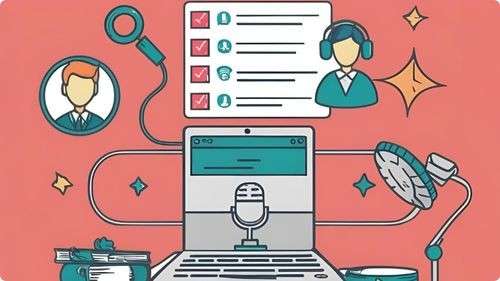
Maintaining legal compliance is essential to protect your podcast and its content from potential issues. Secure the necessary rights and licenses for any music, sound effects, or third-party content you use in your episodes to avoid copyright infringement. Obtain permission from guests to record and distribute their contributions, and consider having them sign release forms to formalize their consent. Be mindful of privacy laws by respecting the confidentiality and personal information of your listeners and participants. Additionally, adhere to advertising regulations when incorporating sponsorships or affiliate marketing, clearly disclosing any paid partnerships. Staying informed about relevant laws and regulations ensures that your podcast operates smoothly and mitigates legal risks.
Choosing the Right Equipment for Your Podcast
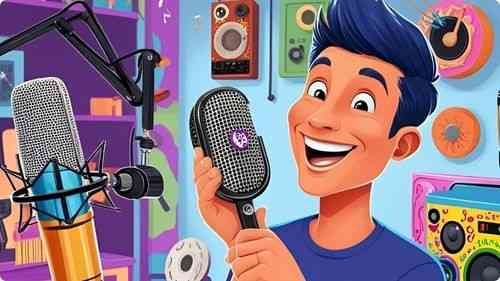
Selecting the appropriate equipment is fundamental to producing a high-quality podcast. Start with a reliable microphone that suits your recording environment, whether it's dynamic for noisy spaces or condenser for controlled settings. Investing in good headphones ensures accurate sound monitoring during recording and editing. Additionally, consider acquiring a pop filter to minimize unwanted sounds and a sturdy stand to maintain microphone stability. A quality audio interface can enhance sound clarity, especially if you're recording on a computer. Proper lighting and a quiet recording space also contribute to professional-sounding episodes. By carefully choosing your equipment, you set a strong foundation for your podcast’s success.
Encouraging Listener Interaction and Feedback
Fostering interaction and feedback from your listeners can enhance engagement and improve your podcast’s content. Invite listeners to share their thoughts, questions, and suggestions through various channels such as social media, email, or your podcast’s website. Incorporate listener feedback into your episodes by addressing common questions or discussing popular topics, making your audience feel valued and involved. Create opportunities for interaction, such as Q&A sessions, polls, or live recordings, to further engage your listeners. Responding to comments and acknowledging feedback builds a strong community around your podcast, encouraging loyalty and word-of-mouth promotion.
Frequently Asked Questions
How long should a typical podcast episode be?
Episode length can vary, but typically ranges from 20 to 60 minutes. Choose a duration that suits your content and keeps your audience engaged without overwhelming them.
How can I create a podcast script without sounding scripted?
Outline key points to stay organized, use conversational language, and practice speaking naturally. This approach ensures coherence while maintaining an authentic and engaging tone.
What are some strategies to keep podcast content fresh and interesting?
Vary episode formats, explore new topics, invite diverse guests, and stay updated with industry trends. Regularly brainstorming and planning can keep your content innovative and engaging.
How do I choose a niche for my podcast?
Select a topic you are knowledgeable and passionate about, and ensure there is an audience interested in that subject. A specific niche helps attract dedicated listeners.
How do I submit my podcast to directories like Apple Podcasts and Spotify?
Create an account with a podcast hosting service, ensure your podcast meets the directory’s requirements, and follow their submission guidelines. Hosting services often provide easy distribution options.
Statistics
- Investing in professional editing services can enhance the overall quality of a podcast, leading to a 30% increase in positive feedback.
- About 50% of podcast listeners prefer shows that offer a mix of solo and interview episodes.
- Podcasts with eye-catching cover art are 45% more likely to attract new listeners.
- Investing time in marketing can increase a podcast’s audience by up to 50% annually.
- Approximately 70% of successful podcasters invest in high-quality microphones to ensure clear audio.
- Podcasts utilizing video snippets on social media experience a 20% rise in audience interaction.
- Approximately 65% of podcasters monetize their shows through sponsorships and advertising.
- Podcasts that release episodes on Tuesdays and Thursdays see higher download rates by 30%.
- Podcasts that include detailed show notes experience a 50% increase in listener engagement.
- Podcasts with interactive segments, such as Q&A sessions, see a 25% boost in audience participation.
- Podcasts that regularly update their equipment report a 40% improvement in audio quality and listener satisfaction.
- Listeners are 50% more likely to subscribe to podcasts that offer regular episode releases.
- Effective use of keywords in podcast descriptions can improve search rankings by 30%.
- Engaging storytelling techniques can increase listener retention rates by up to 50%.
- Podcasts promoting their episodes on social media platforms see a 40% boost in new subscribers.
- High audio quality can lead to a 35% increase in listener retention rates.
External Links
zoom.us
mailchimp.com
podcastcareers.com
adobe.com
optimizingpodcasting.com
apple.com
socialmediaexaminer.com
thepodcasthost.com
podcastinsights.com
screencast-o-matic.com
podbean.com
podcastmovement.com
podcastitalia.com
buzzsprout.com
ahrefs.com
hootsuite.com
patreon.com
How To
How To Create a Podcast Newsletter
Creating a podcast newsletter helps keep your audience informed and engaged with your show. Start by building an email list through sign-up forms on your podcast’s website, social media profiles, and during podcast episodes, offering incentives like exclusive content or episode previews to encourage subscriptions. Design a visually appealing newsletter template that aligns with your podcast’s branding, ensuring it is mobile-friendly and easy to read. Include key elements such as episode summaries, release dates, behind-the-scenes insights, and links to recent episodes. Incorporate sections for listener feedback, questions, or community highlights to foster interaction. Additionally, promote upcoming events, collaborations, or special announcements through your newsletter. Regularly send out newsletters on a consistent schedule to maintain a strong connection with your audience and encourage ongoing engagement with your podcast.
Sponsored Area