How to Start a Podcast in 2025 (1+ Hour Course)
40,527 View

- Publish Date:
- March 1, 2026
- Category:
- Learn to Podcast
- Video License
- Standard License
- Imported From:
- Youtube
Learn how to launch a podcast from scratch and grow it to 10,000+ downloads—without gatekeeping. I’ll cover everything from choosing your niche and gear to promotion, monetization, and edit like a pro.
📺 Videos Mentioned
Best Audio Interfaces
https://youtu.be/i29kz1FyQ9Q?si=LZMMozEfxYEmQhO4
Pro Cameras for Podcasting
https://youtu.be/twhbDMjIjy0?si=ZQldeCDX5noNLzZk
Pro Lighting Setups
https://youtu.be/6CiaLew8uQI?si=Bcz5sjilvlDfkIXP
Riverside 8 Min Walkthrough
https://youtu.be/r1k_REnFYTU?si=REq4U09JyMw65hQP
Notion for Video Planning
https://youtu.be/-l3zoK9W9P4?si=iU9oP8PUmb4v1xlS
Live Streaming In-Depth Tutorial
https://youtu.be/mhdCn043EFo?si=IvgbIPAPo5RMjxqM
Edit Podcasts on Your Phone
https://youtu.be/5WQLsTqmFRU?si=MWE_usIRpjCfjBt_
Spotify for Creators Setup Tutorial
https://youtu.be/6rbYkFhjD34?si=KcMKoBVVbBWFvGI_
BIG June Update for Spotify
https://youtu.be/6MnPTvKaYPc?si=GfXt9fq70vGvRaMe
5 Ways to Monetize Your Podcast NOW
https://youtu.be/14CYZu-CUpg?si=VtdK2zWFajQ9AHA4
🛒 Gear Mentioned
Amaran 200X
https://a.co/d/eZCbJlR
Aputure Light Dome II
https://a.co/d/1XbJUX8
Sony Alpha 7 IV Camera
https://a.co/d/66nrJ1q
Sony Alpha a6400 Camera
https://a.co/d/gnZ1AWR
Gonine Power Sony
https://a.co/d/hXEr90U
Blackmagic Design ATEM Mini Pro
https://a.co/d/eHezxpY
BenQ 27 Inch IPS Monitor
https://a.co/d/bbnZ60E
Manfrotto Advanced Tripod
https://a.co/d/4XDowqZ
Sigma 24-70mm F2.8
https://a.co/d/8VrdiKA
Sennheiser MKH 416
https://a.co/d/9CkDY3l
Earthworks ETHOS
https://a.co/d/iGmbnwO
Softbox Lighting Kit
https://a.co/d/0THi9at
Absorption Foam Panel
https://a.co/d/eUyw92r
Sound Blanket
https://a.co/d/a7lOsev
GIK Acoustic
https://gikacoustics.com/
Moving Blankets
https://a.co/d/etcGMkz
Tripod Light Stand
https://a.co/d/hMhcX7s
Joby Mobile Tripod
https://a.co/d/7qHIUAr
SmallRig LED Light
https://a.co/d/eKCRojV
Mobile Tripod
https://a.co/d/6eyswUp
Rode PSA1 Mic Arm
https://a.co/d/6FGg6dV
Samson Q2U
https://a.co/d/7gR6pLD
Shure MV7+
https://a.co/d/bDIUIrk
--------
JOIN OUR COMMUNITY
Join over 21K creators who are learning together, supporting each other, lending advice, finding guests, and connecting with other creators
https://www.facebook.com/riversidedotfm
ON SOCIAL
📺 YouTube: https://youtube.com/riversidefm?sub_confirmation=1
📸 Instagram: https://www.instagram.com/riverside.fm/
👨💻 LinkedIn: https://www.linkedin.com/company/riverside-fm/
Ⓧ https://www.x.com/riversidedotfm
📰 Our Bog: https://www.riverside.fm/blog
--------
RESOURCES
🎙️ Step Up Your Setup FREE Course
https://riverside.fm/courses/step-up-your-setup
💻 FREE Notion Video Creation Template!
https://beardfm.notion.site/Video-creation-template-1f238b70a53849fd914613fb5d6cce5e
--------
CHAPTERS
00:00 Introduction
00:01:39 Choosing a Topic
00:03:46 Check the Competition
00:05:39 Narrowing Your Niche
00:06:53 Title and Artwork
00:07:45 Designing Show Art
00:08:38 Apple Podcast Artwork
00:09:40 Podcast Title and Description
00:11:15 Show Format
00:12:37 Release Cadence
00:13:15 Episode Length
00:14:54 Pre-Recording Episodes
00:15:31 Gear and Setup
00:15:47 Get a USB Mic
00:17:19 Microphone Stand
00:18:12 Pro Microphones
00:19:02 Audio Interfaces
00:19:47 Should You Add Video?
00:20:28 Use Your Phone as Camera
00:21:24 Mirrorless Pro Cameras
00:22:04 Lighting Setups
00:23:34 Basic Setup Walkthrough
00:23:59 Wearing Headphones
00:25:12 Setup Phone as Camera
00:25:50 Camera Placement
00:26:21 How to Record
00:27:13 Navigating Riverside
00:27:42 Invite Remote Guests
00:29:43 Record in Riverside Studio
00:30:56 Using Screen Share
00:32:09 Mic Technique Tips
00:33:20 Camera Recording Tips
00:34:42 Live Streaming
00:35:16 Recording on Mobile App
00:36:32 Access Your Recordings
00:38:07 Editing Your Podcast
00:38:45 AI Tools to Edit FAST
00:41:11 Design and Layout
00:41:58 Music, Captions, B-Roll
00:43:30 Insert Video or Recordings
00:44:06 Text-Based Editing
00:44:43 Separate Track Editing
00:45:08 Applying EQ
00:45:45 Chapter Markers
00:47:16 Creating a Hook
00:47:53 Export Your Episode
00:49:43 Editing on Mobile App
00:51:10 Publish Your Episode
00:51:36 Setup Podcast Hosting
00:53:53 Submit Podcast to Spotify
00:54:51 Submit to Apple Podcasts
00:55:51 Adding Video to Spotify
00:57:07 Upload Podcast to YouTube
01:00:38 Promoting Your Podcast
01:00:50 Use AI to Create Vertical Clips
01:02:25 Where to Share Vertical Clips
01:03:00 Co-Creator AI
01:03:57 Create Social Posts and Articles
01:04:25 Where to Market Your Podcast
01:05:29 Email Marketing
01:06:39 Paid Advertising
01:07:58 Getting Your First 10K Downloads
01:08:17 Inviting Big Guests
01:10:45 Brand Ambassadors
01:11:54 Monetize Your Podcast
--------
ABOUT US
Riverside.fm is the leading remote recording platform that makes professional podcast and video creation achievable by anyone, anywhere. The platform has easy-to-use tools to help you record, edit, and promote your show.
-----------------------------------------
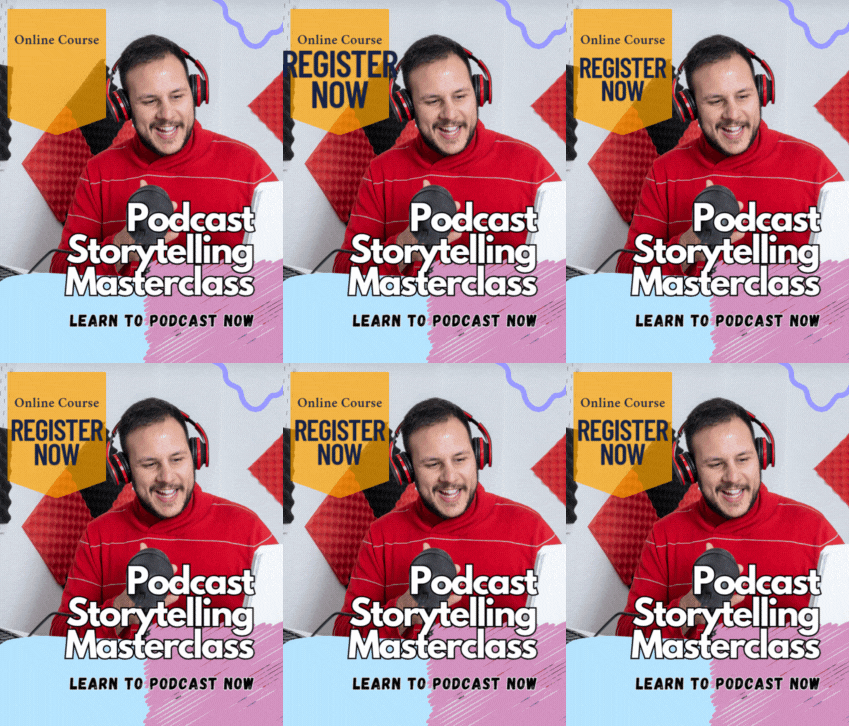
Podcast Storytelling Masterclass
🎤 Want to make your podcast truly unforgettable? Podcast Storytelling Masterclass is your guide to using stories as powerful tools to captivate, connect with, and grow your audience. This class dives deep into the essential techniques that transform your delivery—helping you craft stories that resonate, inspire, and leave a lasting impression.
You'll learn how to choose the right stories, use them instead of traditional interview questions, and guide your guests to share meaningful experiences that engage listeners. Storytelling isn't just popular—it’s how people relate to your message. This course shows you how to harness that connection to elevate your podcast from ordinary to exceptional.
👉 Click here to join the online course now and start building stronger, more emotional connections with your audience through storytelling.
3 Must-Know Podcasting Tips for Your Show
Analyzing Podcast Metrics to Improve Performance
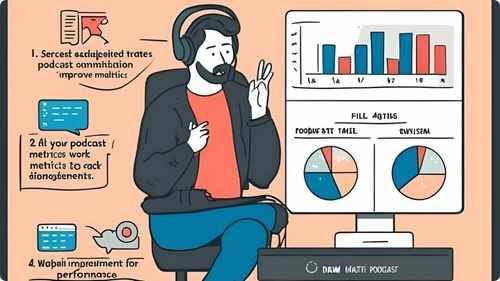
Monitoring and analyzing podcast metrics is crucial for understanding your audience and improving your show’s performance. Track key indicators such as download numbers, listener demographics, episode completion rates, and audience retention. Use analytics tools provided by your hosting platform or third-party services to gain insights into listener behavior and preferences. Identify which episodes perform best and analyze the factors contributing to their success, such as topics, guests, or formats. Pay attention to feedback and reviews to gauge audience satisfaction and areas for improvement. Regularly reviewing your metrics allows you to make informed decisions, optimize your content strategy, and enhance the overall quality and reach of your podcast.
Choosing the Right Equipment for Your Podcast

Selecting the appropriate equipment is fundamental to producing a high-quality podcast. Start with a reliable microphone that suits your recording environment, whether it's dynamic for noisy spaces or condenser for controlled settings. Investing in good headphones ensures accurate sound monitoring during recording and editing. Additionally, consider acquiring a pop filter to minimize unwanted sounds and a sturdy stand to maintain microphone stability. A quality audio interface can enhance sound clarity, especially if you're recording on a computer. Proper lighting and a quiet recording space also contribute to professional-sounding episodes. By carefully choosing your equipment, you set a strong foundation for your podcast’s success.
Leveraging Guest Appearances to Grow Your Audience

Featuring guests on your podcast can significantly expand your reach and attract new listeners. Select guests who are experts in your niche or have a substantial following that aligns with your target audience. Prepare thoughtful questions that allow your guests to share valuable insights and experiences, providing rich content for your listeners. Promote episodes with notable guests across both your and your guests’ networks, tapping into their audience base. Encourage guests to share the episode with their followers, increasing your podcast’s visibility. Collaborative episodes not only enhance the quality of your content but also foster relationships within your industry, contributing to your podcast’s growth and credibility.
Frequently Asked Questions
What are some strategies to keep podcast content fresh and interesting?
Vary episode formats, explore new topics, invite diverse guests, and stay updated with industry trends. Regularly brainstorming and planning can keep your content innovative and engaging.
What is a podcast hosting service and why do I need one?
A podcast hosting service stores your audio files and distributes them to various platforms. It provides essential analytics, ensures reliable delivery, and often offers tools for monetization and audience engagement.
What are effective ways to keep listeners coming back to my podcast?
Deliver consistent, high-quality content, engage with your audience, provide value in each episode, and build a strong connection through storytelling and relatable topics to retain listeners.
What are the best practices for podcast episode structure?
Start with a strong introduction, followed by the main discussion or interview, and end with a summary or call to action. Consistent formatting helps listeners know what to expect each episode.
Statistics
- Listeners are 50% more likely to subscribe to podcasts that offer regular episode releases.
- About 55% of podcasters use interviews as a key strategy to provide diverse content.
- Approximately 40% of podcasters use background music to enhance the listening experience.
- Podcasts that utilize analytics to refine content strategies experience a 40% improvement in listener satisfaction.
- Approximately 70% of successful podcasters invest in high-quality microphones to ensure clear audio.
- Podcasts that offer unique and niche content are 35% more likely to build a dedicated listener base.
- Podcasts with interactive segments, such as Q&A sessions, see a 25% boost in audience participation.
- Using transcription services can make podcasts accessible to a wider audience, increasing reach by up to 25%.
- Over 80% of podcasters report that having a dedicated website enhances their show’s visibility.
- Podcasts that regularly update their equipment report a 40% improvement in audio quality and listener satisfaction.
- Podcasts that engage with their audience through email newsletters see a 30% higher retention rate.
- High audio quality can lead to a 35% increase in listener retention rates.
- Investing time in marketing can increase a podcast’s audience by up to 50% annually.
- Podcasts that include detailed show notes experience a 50% increase in listener engagement.
- Approximately 65% of podcasters monetize their shows through sponsorships and advertising.
- About 60% of podcasters find that offering premium content subscriptions generates additional revenue.
External Links
thepodcasthost.com
podcastinsights.com
canva.com
podcasters.spotify.com
podcastpage.io
optimizingpodcasting.com
shutterstock.com
blog.libsyn.com
anchor.fm
help.apple.com
screencast-o-matic.com
listennotes.com
patreon.com
mailchimp.com
transistor.fm
radiopublic.com
podbean.com
How To
How To Use Analytics to Refine Your Podcast Content
Leveraging analytics helps refine your podcast content to better suit your audience’s preferences and behaviors. Start by accessing your podcast hosting platform’s analytics dashboard, which typically provides data on downloads, listener demographics, episode popularity, and listening duration. Analyze which episodes perform best and identify patterns in topics, formats, or guests that resonate with your audience. Use this information to tailor future content, focusing on areas that drive engagement and skip or improve aspects that underperform. Additionally, monitor listener drop-off points to understand where they lose interest and adjust your content structure or pacing accordingly. Regularly reviewing and interpreting your analytics enables you to make informed decisions that enhance the quality and appeal of your podcast, leading to sustained growth and listener satisfaction.
Sponsored Area