How to Plan Podcast Episodes and Seasons
7,735 View

- Publish Date:
- March 20, 2026
- Category:
- Learn to Podcast
- Video License
- Standard License
- Imported From:
- Youtube
Starting a new podcast? Have you ever wondered how to plan your episodes and seasons? In this video, we'll show you several methods you can use to lay out your podcast episode structure for a weekly podcast or an entire season.
How do you organize and plan your podcast episodes? Tag us on @buzzsprout on social media using #seasons.
INTERESTED IN STARTING A PODCAST?
Get started for free with Buzzsprout at https://www.buzzsprout.com/
Subscribe to the "How to Start a Podcast" podcast to learn all the ins and outs of creating your first podcast.
Apple Podcasts - https://apple.co/2QBShqA
Spotify - https://spoti.fi/2H0x2Or
Google Podcasts - https://bit.ly/2EuywwA
==== Time Stamps ====
0:00-0:25 - Intro
0:25-0:53 - Work a theme
0:53-1:22 - Narrative format
1:22-2:16 - Plan episodes
2:17-2:32 - Pick launch date
2:32-3:00 - Season signpost
3:00- 4:57 - Season trailer
===================
-----------------------------------------
Podcast Host Masterclass
Podcasting is booming, and now is the perfect time to launch your own show! The Podcast Host Masterclass gives you the tools, tips, and techniques to become a confident, compelling podcast host—no prior experience required. Learn how to prep guests, ask powerful questions, control conversations, and grow your audience fast. Taught by industry veterans Scott Paton and Martin Wales, this course condenses decades of broadcasting experience into actionable lessons. One student doubled monthly downloads in just 9 months using these strategies! Ready to step behind the mic and build your brand? This is your chance to shine.
3 Must-Know Podcasting Tips for Your Show
Integrating Music and Sound Effects Appropriately
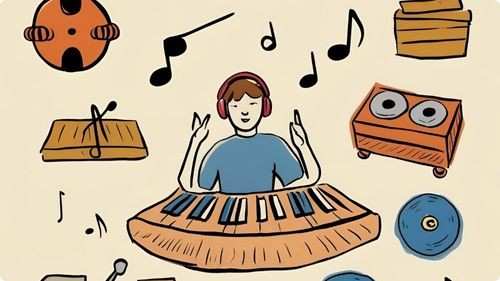
Music and sound effects can significantly enhance the quality and appeal of your podcast when used appropriately. Select intro and outro music that reflects the tone and theme of your show, creating a consistent auditory brand identity. Use background music sparingly during episodes to complement the conversation without overpowering it. Incorporate sound effects to emphasize key points, transitions, or humorous elements, adding a dynamic layer to your content. Ensure that all audio elements are balanced and do not distract from the primary audio, maintaining a professional and polished sound. Thoughtful integration of music and effects can make your podcast more engaging and enjoyable for your listeners.
Crafting Compelling Podcast Introductions

Your podcast introduction sets the tone for each episode and captures the listener’s attention from the start. Begin with a brief and impactful summary of the episode’s topic to inform your audience about what to expect. Use a consistent musical theme or jingle to create brand recognition. Introduce yourself and any co-hosts clearly, establishing a personal connection with your listeners. Incorporate a hook, such as a provocative question or an interesting fact, to pique curiosity. A well-crafted introduction not only engages listeners but also reinforces your podcast’s identity and purpose, encouraging them to continue listening.
Creating Eye-Catching Podcast Artwork
Your podcast artwork is often the first impression potential listeners have of your show, making it crucial for attracting attention and conveying your podcast’s essence. Design a visually appealing and professional cover that reflects your podcast’s theme and personality. Use high-contrast colors and clear typography to ensure readability, even at smaller sizes typically displayed on listening platforms. Incorporate imagery or icons that symbolize your content, helping to communicate your podcast’s focus at a glance. Ensure your artwork meets the technical specifications of major podcast directories, such as Apple Podcasts, to maintain quality across platforms. Compelling podcast artwork not only draws in new listeners but also reinforces your brand identity and professionalism.
Frequently Asked Questions
What equipment do I need to start a podcast?
To begin a podcast, you need a good quality microphone, headphones, a computer, and recording software. Additionally, consider investing in a pop filter and a soundproof space to enhance audio quality.
What is the best way to prepare for a podcast interview?
Research your guest thoroughly, prepare insightful questions, test your equipment beforehand, and create a comfortable environment to facilitate a natural and engaging conversation.
How do I engage with my podcast audience?
Respond to listener feedback, encourage comments and questions, create interactive content, and build a community through social media or dedicated platforms to foster a loyal listener base.
How important are podcast analytics?
Analytics help you understand your audience, track growth, and measure engagement. Use this data to refine your content strategy, improve listener experience, and make informed decisions about your podcast.
What software is best for recording and editing podcasts?
Popular options include Audacity, which is free and user-friendly, and Adobe Audition, which provides advanced editing features. Choose software that fits your skill level and editing needs.
Statistics
- Approximately 40% of podcasters use background music to enhance the listening experience.
- Using transcription services can make podcasts accessible to a wider audience, increasing reach by up to 25%.
- Podcasts that engage with their audience through email newsletters see a 30% higher retention rate.
- Over 80% of podcasters report that having a dedicated website enhances their show’s visibility.
- Podcasts that regularly update their equipment report a 40% improvement in audio quality and listener satisfaction.
- Podcasts with interactive segments, such as Q&A sessions, see a 25% boost in audience participation.
- Podcasts with consistent weekly releases are 60% more likely to grow their audience steadily.
- Approximately 70% of successful podcasters invest in high-quality microphones to ensure clear audio.
- Podcasts promoting their episodes on social media platforms see a 40% boost in new subscribers.
- Guest appearances on podcasts can result in a 15% increase in subscriber numbers.
- Podcasts that utilize analytics to refine content strategies experience a 40% improvement in listener satisfaction.
- Approximately 65% of podcasters monetize their shows through sponsorships and advertising.
- Podcasts utilizing video snippets on social media experience a 20% rise in audience interaction.
- Listener reviews and ratings contribute to a 25% increase in podcast discoverability.
- Podcasts that release episodes on Tuesdays and Thursdays see higher download rates by 30%.
- On average, podcasters spend about 10 hours per episode from planning to publishing.
External Links
radiopublic.com
podbean.com
analytics.google.com
socialmediaexaminer.com
optimizingpodcasting.com
podcasters.spotify.com
apple.com
screencast-o-matic.com
jeffbullas.com
podcastinsights.com
audacityteam.org
transistor.fm
anchor.fm
podcastpage.io
listennotes.com
adobe.com
ahrefs.com
How To
How To Manage Your Podcast Budget Efficiently
Managing your podcast budget efficiently ensures that you allocate resources effectively without overspending. Begin by outlining all potential expenses, including equipment purchases, hosting fees, software subscriptions, marketing costs, and any outsourced services like editing or graphic design. Prioritize essential items that directly impact the quality and production of your podcast, such as a good microphone and reliable hosting service. Allocate funds for marketing efforts to promote your podcast and attract new listeners. Track your expenditures regularly using budgeting tools or spreadsheets to stay within your financial limits. Look for cost-effective alternatives, such as free editing software or DIY marketing strategies, to minimize expenses without compromising quality. Efficient budget management allows you to sustain your podcast long-term while maintaining high standards.
Sponsored Area