How To RECORD and EDIT A Podcast For Beginners!
13,632 View

- Publish Date:
- February 26, 2026
- Category:
- Learn to Podcast
- Video License
- Standard License
- Imported From:
- Youtube
⭐️ Our free YouTube growth class reveals 3 essential secrets we're using in 2025 to get more views, subscribers, and income—watch here :point_right: http://ThinkMasterclass.com
This video is sponsored by @Riversidefm. Some product links are affiliate links which means if you buy something we'll receive a small commission.
=============================
All Products and Gear Mentioned in this video
=============================
OBSBOT Meet 2 Webcam ➡️ https://geni.us/i0Fgj
Fifine AM8 Microphone ➡️ https://geni.us/0SSLlP2
===========================
Connect with us!
=============================
Tik Tok: ➡︎ https://www.tiktok.com/@thinkmediaofficial/
IG: ➡︎ https://www.instagram.com/officialthinkmedia/
===========================
Subscribe and Listen to the Think Media Podcast HERE:📱
===========================
➡︎YT: @ThinkMediaPodcast
➡︎Apple: https://apple.co/2F3tmIS
➡︎Spotify: https://spoti.fi/36qevE8
⏰ Timecodes ⏰
0:00 How To Record and Edit A Podcast For Beginners
0:22 How to Start a Remote Podcast
1:08 Equipment Needed
2:19 Setting Up Your Podcast
4:07 Tips for Recording Your Podcast
5:30 Editing Your Podcast
9:43 Creating Social Media Clips (with Captions)
12:43 Exporting and Publishing
===========================
Here are the ways to work with us here at Think Media:
===========================
⚡️FREE CLASS: Watch our FREE YouTube class here: ➡︎ http://ThinkMasterclass.com
⚡️BOOK: Check out the #1 best-selling book YouTube Secrets here: ➡︎ https://ytsecrets.com/
⚡️For Support inquires, or Business inquiries, please go to ➡︎ http://ThinkMediaSupport.com
⚡️Join our YouTube Course & Community TODAY with this special limited-time bundle at: http://joinvra.com
===========================
Connect with Sean Cannell on Social Media:
===========================
➡︎https://www.linkedin.com/in/seancannell/
➡︎https://twitter.com/seancannell
➡︎https://instagram.com/seancannell
===========================
What We Use For Music:
===========================
🔥 Get a 7-day free trial for new personal and commercial plan here! ➡️ http://thinkmediasounds.com
===========================
In-Depth Channel Analytics and Ideas
===========================
Get a 30-Day trial of vidIQ's Boost plan for just $1 here: 👉 http://vidiq.com/think
===========================
#thinkmedia #seancannell #youtubetips
Want to start a podcast but have no idea where to begin? This is the easiest, step-by-step guide to record, edit, and launch your first podcast from the comfort of your own home.
Starting a podcast can feel overwhelming, but the good news is you don't need a professional studio or a bunch of complicated tools. In this tutorial, we show you how to do everything—from recording high-quality remote interviews to editing with AI and distributing to Spotify & Apple Podcasts—all in one place.
This is the ultimate guide for starting a podcast for beginners in 2025, whether you want to create an audio-only show or a full video podcast.
In this podcasting tutorial, you will learn:
The simple gear you need for a remote podcast setup.
A step-by-step guide to recording interviews with our sponsor, Riverside.
How to easily edit your podcast using AI tools and a text-based editor.
How to automatically create social media clips with captions to grow your audience.
How to publish your podcast to all major platforms like Spotify, Apple Podcasts, and YouTube.
Our mission here at Think Media is to help purpose-driven entrepreneurs go full-time doing what they love and making an impact through the power of video.
Disclaimer: Please see the link for our disclaimer policy for all of our videos on the Think Media and Think Media Podcast YouTube channels. https://go.thinkmedia.com/youtube-disclaimer
-----------------------------------------
Podcast Covert Hypnosis Masterclass
🎧 Want your podcast audience to not only listen—but take action? The Podcast Covert Hypnosis Masterclass reveals how to tap into powerful tools like hypnosis and NLP to grow your audience, boost downloads, and increase sales through more persuasive podcasting.
Most podcasters focus on their content, but few are ever taught how to influence behavior through communication. This course teaches you exactly how to bridge that gap. You'll learn how to engage listeners on a deeper level, guide their thoughts naturally, and inspire them to act—whether it’s buying a product, joining a program, or simply staying tuned in week after week.
If you're ready to move from “just talking” to creating real impact with your podcast, this is the class for you.
👉 Click here to join the online course now and start mastering the art of persuasive podcasting today!
2 Must-Know Podcasting Tips for Your Show
Integrating Music and Sound Effects Appropriately

Music and sound effects can significantly enhance the quality and appeal of your podcast when used appropriately. Select intro and outro music that reflects the tone and theme of your show, creating a consistent auditory brand identity. Use background music sparingly during episodes to complement the conversation without overpowering it. Incorporate sound effects to emphasize key points, transitions, or humorous elements, adding a dynamic layer to your content. Ensure that all audio elements are balanced and do not distract from the primary audio, maintaining a professional and polished sound. Thoughtful integration of music and effects can make your podcast more engaging and enjoyable for your listeners.
Analyzing Podcast Metrics to Improve Performance
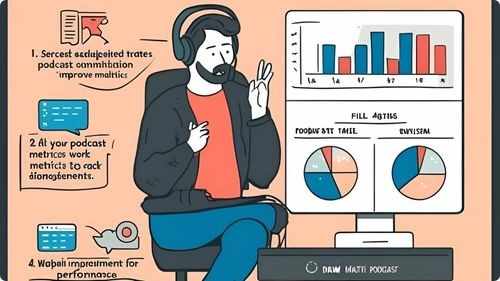
Monitoring and analyzing podcast metrics is crucial for understanding your audience and improving your show’s performance. Track key indicators such as download numbers, listener demographics, episode completion rates, and audience retention. Use analytics tools provided by your hosting platform or third-party services to gain insights into listener behavior and preferences. Identify which episodes perform best and analyze the factors contributing to their success, such as topics, guests, or formats. Pay attention to feedback and reviews to gauge audience satisfaction and areas for improvement. Regularly reviewing your metrics allows you to make informed decisions, optimize your content strategy, and enhance the overall quality and reach of your podcast.
Frequently Asked Questions
How do I determine the right tone and style for my podcast?
Consider your target audience and the subject matter. Whether formal, conversational, or humorous, ensure the tone aligns with your content and resonates with your listeners.
How do I handle technical issues during a podcast recording?
Have a backup plan, such as secondary recording software or equipment, regularly update your technology, and troubleshoot common problems in advance to minimize disruptions during recording.
How do I choose the right microphone for my podcast?
Select a microphone based on your budget and recording environment. USB microphones are user-friendly for beginners, while XLR microphones offer higher sound quality for more professional setups.
Statistics
- Podcasts that release episodes on Tuesdays and Thursdays see higher download rates by 30%.
- On average, podcasters spend about 10 hours per episode from planning to publishing.
- Podcasts with interactive segments, such as Q&A sessions, see a 25% boost in audience participation.
- Podcasts that utilize analytics to refine content strategies experience a 40% improvement in listener satisfaction.
- Podcasts with consistent weekly releases are 60% more likely to grow their audience steadily.
- Podcasts with eye-catching cover art are 45% more likely to attract new listeners.
- Approximately 65% of podcasters monetize their shows through sponsorships and advertising.
- About 55% of podcasters use interviews as a key strategy to provide diverse content.
- Approximately 40% of podcasters use background music to enhance the listening experience.
- Approximately 70% of successful podcasters invest in high-quality microphones to ensure clear audio.
- Podcasts utilizing video snippets on social media experience a 20% rise in audience interaction.
- Podcasts that include detailed show notes experience a 50% increase in listener engagement.
- About 50% of podcast listeners prefer shows that offer a mix of solo and interview episodes.
- Engaging storytelling techniques can increase listener retention rates by up to 50%.
- Over 80% of podcasters report that having a dedicated website enhances their show’s visibility.
- Listener reviews and ratings contribute to a 25% increase in podcast discoverability.
External Links
podcastmovement.com
podcastgrandcentral.com
help.apple.com
zoom.us
transistor.fm
podcastinsights.com
hootsuite.com
apple.com
podcastpage.io
optimizingpodcasting.com
screencast-o-matic.com
listennotes.com
adobe.com
ahrefs.com
blog.podomatic.com
canva.com
radiopublic.com
How To
How To Create a Podcast Website
A dedicated podcast website serves as a central hub for your show, offering information, resources, and a platform for listener engagement. Start by choosing a reliable web hosting service and selecting a domain name that reflects your podcast’s name and niche. Use a website builder or content management system like WordPress to design your site, ensuring it is user-friendly and mobile-responsive. Include key elements such as an about page, episode archive with streaming and download options, and a blog section for additional content and updates. Incorporate SEO best practices by using relevant keywords in your content and metadata to improve search engine visibility. Additionally, add contact forms or social media links to facilitate interaction with your audience and gather feedback for continuous improvement.
Sponsored Area