How to Start a Podcast with Your Phone in 2026 (Step-by-Step Guide)
23,581 View

- Publish Date:
- February 21, 2026
- Category:
- Learn to Podcast
- Video License
- Standard License
- Imported From:
- Youtube
⭐️ Our free YouTube growth class reveals 3 essential secrets we're using in 2026 to get more views, subscribers, and income—watch here ➡️ http://ThinkMasterclass.com
This video is sponsored by @Riversidefm. Some product links are affiliate links which means if you buy something we'll receive a small commission.
=============================
All Products and Gear Mentioned in this video
=============================
🔴 Ready to record? Use code THINKMEDIA to get your first month of Riverside Pro free ➡️ https://creators.riverside.com/thinkmedia5
Amazon links:
Fifine AM8 USB/XLR Microphone ➡️ https://geni.us/5cUR
Ulanzi MT-16 Tabletop Tripod ➡️ https://geni.us/XAYw
Canva ➡️ https://www.canva.com/
===========================
Connect with us!
=============================
Tik Tok: ➡︎ https://www.tiktok.com/@thinkmediaofficial/
IG: ➡︎ https://www.instagram.com/officialthinkmedia/
===========================
Subscribe and Listen to the Think Media Podcast HERE:📱
===========================
➡︎YT: @ThinkMediaPodcast
➡︎Apple: https://apple.co/2F3tmIS
➡︎Spotify: https://spoti.fi/36qevE8
⏰ Timecodes ⏰
0:00 - Start a Podcast with Just Your Phone
0:22 - Step 1: Plan Your Podcast (Packaging)
0:35 - Find Your Niche & Target Audience
1:11 - Choose a Title & Create Cover Art
1:52 - Step 2: Get Your Gear (Mobile Podcast Setup)
2:05 - The Best App for Mobile Podcasting (Riverside)
2:59 - The Best Budget Microphone for Your Phone
3:56 - The Best Tripod for Your Phone
4:13 - Step 3: Record Your Podcast (Riverside Tutorial)
4:41 - Setting Up Your Studio in the App
5:28 - How to Connect Your USB Microphone
6:38 - How to Start Recording (Solo & with Guests)
7:23 - Step 4: Edit Your Podcast on Your Phone
7:29 - Using Riverside's Mobile Editor
8:38 - How to Export Your Audio & Video Files
10:14 - Step 5: Host & Distribute Your Podcast
10:32 - How to Host Your Podcast with Riverside
12:02 - Your Complete Mobile Podcasting Workflow
===========================
Here are the ways to work with us here at Think Media:
===========================
⚡️FREE CLASS: Watch our FREE YouTube class here: ➡︎ http://ThinkMasterclass.com
⚡️BOOK: Check out the #1 best-selling book YouTube Secrets here: ➡︎ https://ytsecrets.com/
⚡️For Support inquires, or Business inquiries, please go to ➡︎ http://ThinkMediaSupport.com
⚡️Join our YouTube Course & Community TODAY with this special limited-time bundle at: http://joinvra.com
===========================
Connect with Sean Cannell on Social Media:
===========================
➡︎https://www.linkedin.com/in/seancannell/
➡︎https://twitter.com/seancannell
➡︎https://instagram.com/seancannell
===========================
What We Use For Music:
===========================
🔥 Get a 7-day free trial for new personal and commercial plan here! ➡️ http://thinkmediasounds.com
===========================
In-Depth Channel Analytics and Ideas
===========================
Get a 30-Day trial of vidIQ's Boost plan for just $1 here: 👉 http://vidiq.com/think
===========================
#thinkmedia #seancannell #youtubetips
It has never been easier or more affordable to get into the world of podcasting. You don't need a professional studio or expensive equipment to get started. In this step-by-step tutorial, we show you the entire process, from planning your show to distributing it to platforms like Spotify and Apple Podcasts, all from your mobile phone.
We use the Riverside app to demonstrate how you can record high-quality solo or interview-style video podcasts, edit them with a text-based editor, and host them online. This is the ultimate guide for starting a podcast for beginners in 2026.
In this mobile podcasting tutorial, you will learn:
Step 1: How to plan your podcast (Topic, Title & Cover Art).
Step 2: The best budget-friendly gear for a mobile podcast setup.
Step 3: A step-by-step guide to recording high-quality audio & video with the Riverside app.
Step 4: How to edit your podcast directly on your phone.
Step 5: How to host your podcast and distribute it to all major platforms.
Our mission here at Think Media is to help purpose-driven entrepreneurs go full-time doing what they love and making an impact through the power of video.
Disclaimer: Please see the link for our disclaimer policy for all of our videos on the Think Media and Think Media Podcast YouTube channels. https://go.thinkmedia.com/youtube-disclaimer
-----------------------------------------
Podcast Audience Growth - Networking with your Guests
Want to grow your podcast audience fast—without tech headaches? Learn how to attract high-profile guests and become a sought-after expert on other shows. Power Networking for Podcast Success shows you the easiest way to build loyal fans and boost visibility—organically.
3 Must-Know Podcasting Tips for Your Show
Analyzing Podcast Metrics to Improve Performance
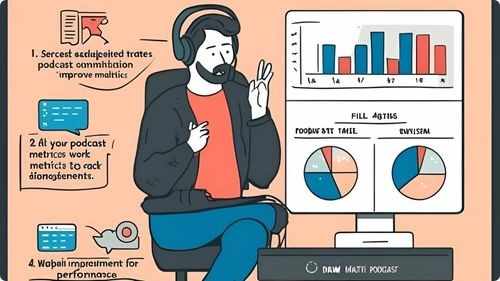
Monitoring and analyzing podcast metrics is crucial for understanding your audience and improving your show’s performance. Track key indicators such as download numbers, listener demographics, episode completion rates, and audience retention. Use analytics tools provided by your hosting platform or third-party services to gain insights into listener behavior and preferences. Identify which episodes perform best and analyze the factors contributing to their success, such as topics, guests, or formats. Pay attention to feedback and reviews to gauge audience satisfaction and areas for improvement. Regularly reviewing your metrics allows you to make informed decisions, optimize your content strategy, and enhance the overall quality and reach of your podcast.
Developing a Unique Voice and Style

Establishing a unique voice and style sets your podcast apart and makes it memorable to listeners. Define your podcast’s personality by determining the tone, whether it’s conversational, formal, humorous, or inspiring. Be authentic in your delivery, allowing your genuine personality to shine through and connect with your audience. Develop consistent formatting, including how you introduce topics, transition between segments, and sign off each episode. Incorporate distinctive elements such as catchphrases, specific storytelling techniques, or unique soundscapes that reflect your podcast’s identity. A strong and consistent voice fosters recognition and loyalty, encouraging listeners to return and recommend your podcast to others.
Writing Effective Show Notes for Each Episode
Show notes play a crucial role in enhancing your podcast’s accessibility and SEO performance. Start with a clear and concise summary of the episode, highlighting key topics and takeaways. Include timestamps to help listeners navigate to specific sections of the conversation easily. Provide detailed information about any resources, books, or tools mentioned during the episode, along with relevant links. Incorporate keywords naturally to improve search engine rankings and make your content more discoverable. Additionally, use show notes to promote upcoming episodes, special guests, or related content, encouraging ongoing listener engagement. Well-crafted show notes serve as a valuable reference for your audience and contribute to your podcast’s overall professionalism.
Frequently Asked Questions
How can I make my podcast stand out in a crowded market?
Develop a unique voice, focus on a specific niche, deliver consistent quality, and engage authentically with your audience. Creative content and distinct branding also help differentiate your podcast.
What are some strategies to keep podcast content fresh and interesting?
Vary episode formats, explore new topics, invite diverse guests, and stay updated with industry trends. Regularly brainstorming and planning can keep your content innovative and engaging.
How do I handle technical issues during a podcast recording?
Have a backup plan, such as secondary recording software or equipment, regularly update your technology, and troubleshoot common problems in advance to minimize disruptions during recording.
What legal considerations should I be aware of in podcasting?
Ensure you have rights to any music or content used, obtain necessary permissions for guest appearances, and adhere to copyright laws. Consider including disclaimers and privacy policies as needed.
What are the benefits of having podcast show notes?
Show notes provide a summary of the episode, links to resources mentioned, and additional information. They improve SEO, offer value to listeners, and serve as a reference for your content.
Statistics
- High audio quality can lead to a 35% increase in listener retention rates.
- Podcasts that offer unique and niche content are 35% more likely to build a dedicated listener base.
- About 50% of podcast listeners prefer shows that offer a mix of solo and interview episodes.
- Podcasts promoting their episodes on social media platforms see a 40% boost in new subscribers.
- Podcasts that utilize analytics to refine content strategies experience a 40% improvement in listener satisfaction.
- About 60% of podcasters find that offering premium content subscriptions generates additional revenue.
- Listeners prefer podcast episodes that range between 30 to 45 minutes, with 65% favoring this duration.
- Podcasts that engage with their audience through email newsletters see a 30% higher retention rate.
- Approximately 40% of podcasters use background music to enhance the listening experience.
- Podcasts with interactive segments, such as Q&A sessions, see a 25% boost in audience participation.
- Podcasts that include detailed show notes experience a 50% increase in listener engagement.
- Effective use of keywords in podcast descriptions can improve search rankings by 30%.
- On average, podcasters spend about 10 hours per episode from planning to publishing.
- Collaborating with other podcasters can lead to a 20% growth in listener base.
- Over 80% of podcasters report that having a dedicated website enhances their show’s visibility.
- Guest appearances on podcasts can result in a 15% increase in subscriber numbers.
External Links
podcastmovement.com
adobe.com
inc.com
jeffbullas.com
radiopublic.com
podcastitalia.com
podcastgrandcentral.com
blog.podomatic.com
podbean.com
listennotes.com
transistor.fm
podcastpage.io
podcastcareers.com
socialmediaexaminer.com
optimizingpodcasting.com
anchor.fm
blog.libsyn.com
How To
How To Create a Podcast Budget
Creating a podcast budget helps manage your finances effectively and ensures that your podcast remains financially sustainable. Start by listing all potential expenses, including equipment costs, hosting fees, software subscriptions, marketing efforts, and any outsourced services like editing or graphic design. Estimate the costs for each category, using research and quotes to get accurate figures. Allocate funds based on priority, ensuring that essential items like audio equipment and hosting services receive adequate budget allocation. Include a contingency fund for unexpected expenses or opportunities that may arise. Track your spending regularly using budgeting tools or spreadsheets to stay on top of your finances and adjust allocations as needed. A well-planned budget allows you to manage resources efficiently and supports the long-term growth and quality of your podcast.
Sponsored Area